Meridian Warehouse & inventory software for Windows on PostgreSQL
One program for a shop, a warehouse or a service centre: goods and stock, receipts and sales, a scanner-driven cash desk, discounts and loyalty cards, customers, documents, tasks, mail and telephony. Installed from an MSI, runs on your own PostgreSQL server, seats are bought once and stay yours.
Version 1.1.3.0 · Windows 10/11 x64 · PostgreSQL 12 or newer · MSI ≈ 144 MB · interface in English and Russian
Who it is for
Small and mid-sized trading and service businesses that need real accounting, not a spreadsheet — and want to keep the data in-house.
Retail and wholesale
Receipts, transfers, sales, a cash desk with a barcode scanner, price lists with mark-ups, discounts and loyalty cards.
Car service and spare parts
Parts selection by the customer's vehicle, cross-references and analogues, labour and services in the same document as the goods.
Project and client work
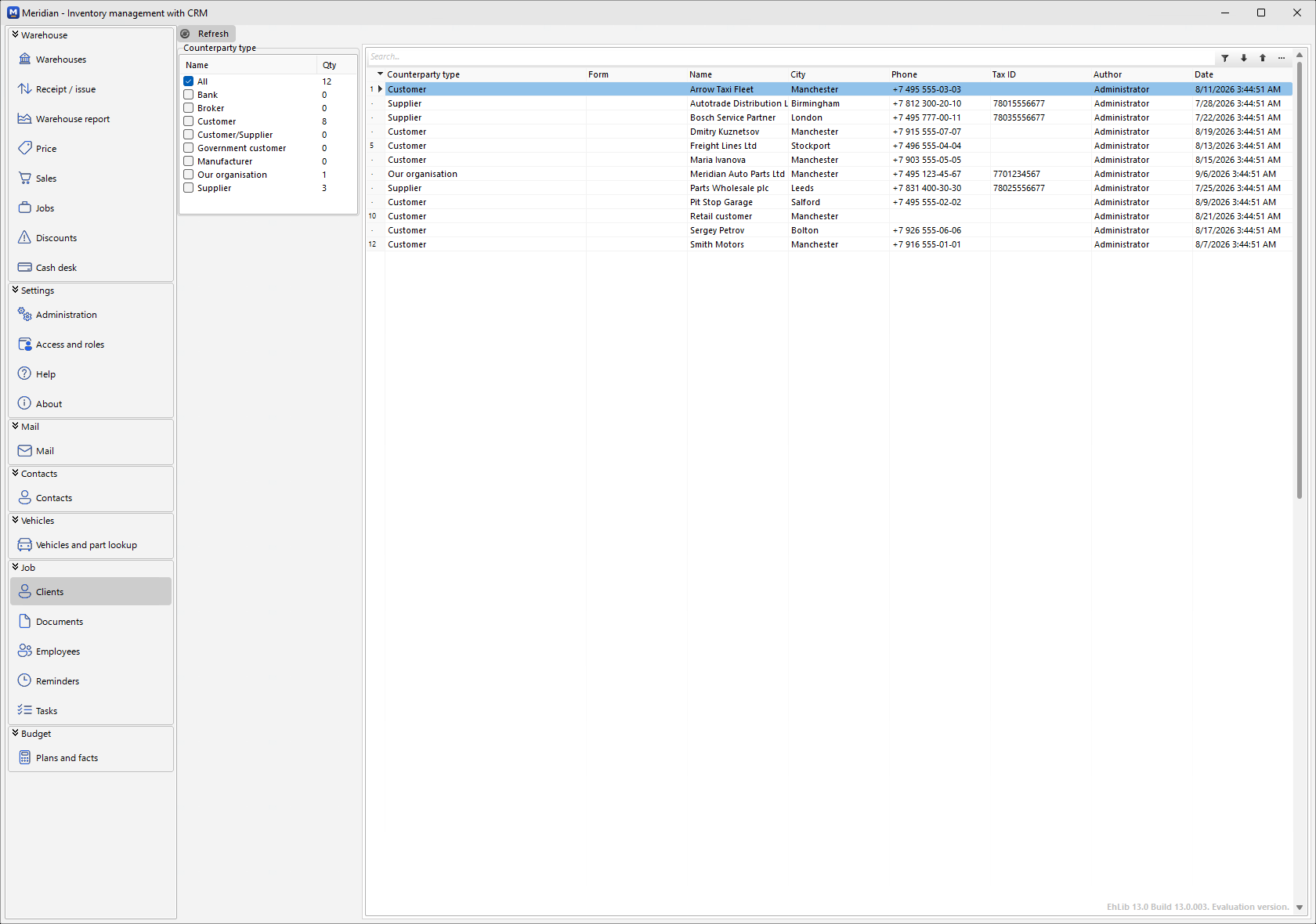
Counterparties, documents, tasks, reminders, mail and approvals — the CRM side of the same database.
What is inside
Every section is a form in the same window, working on the same database. No modules to buy separately.
Warehouse
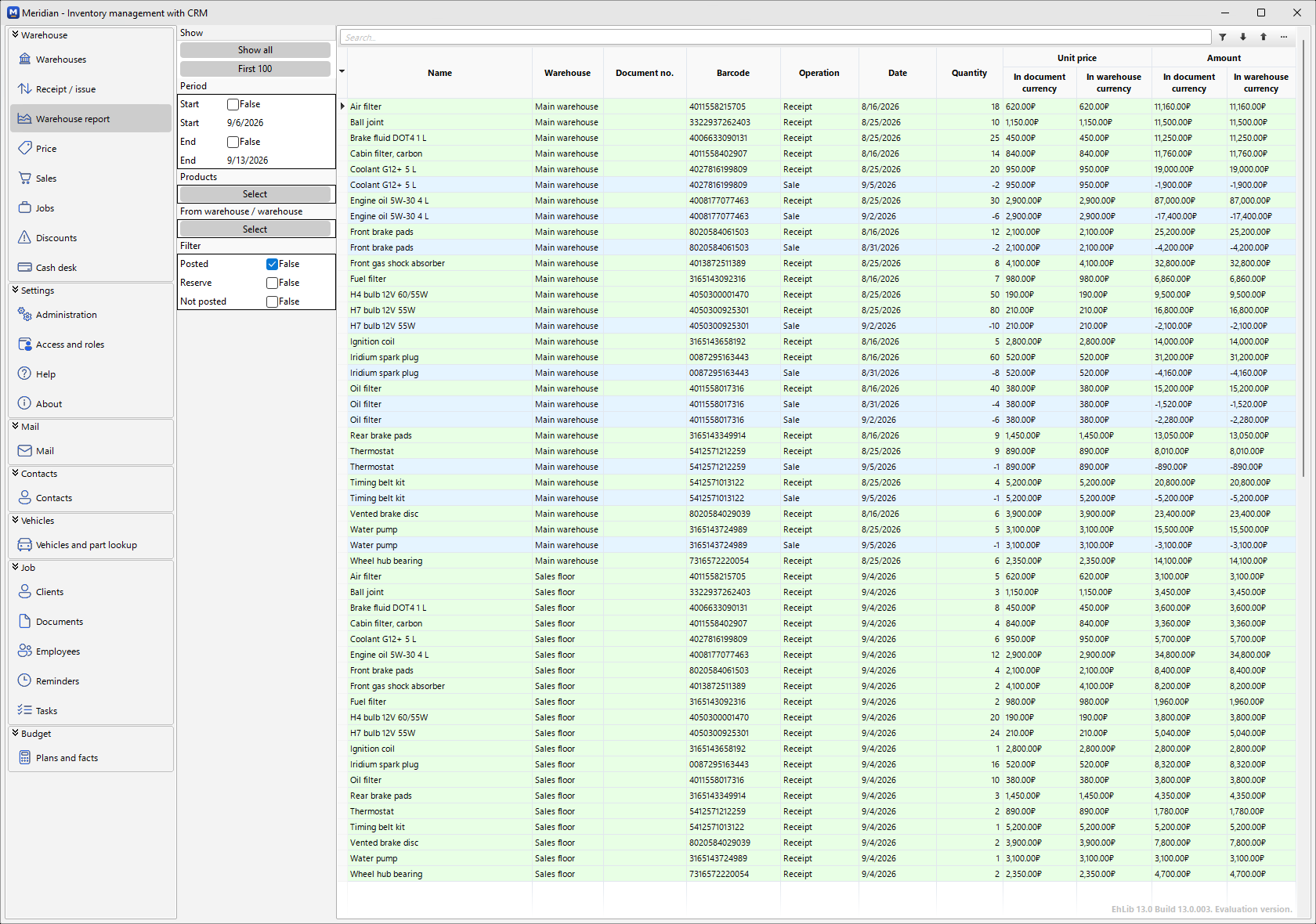
Warehouses and storage places, product cards with groups, barcodes, images and kits, receipts, transfers, returns, stock and turnover reports.
Sales and documents
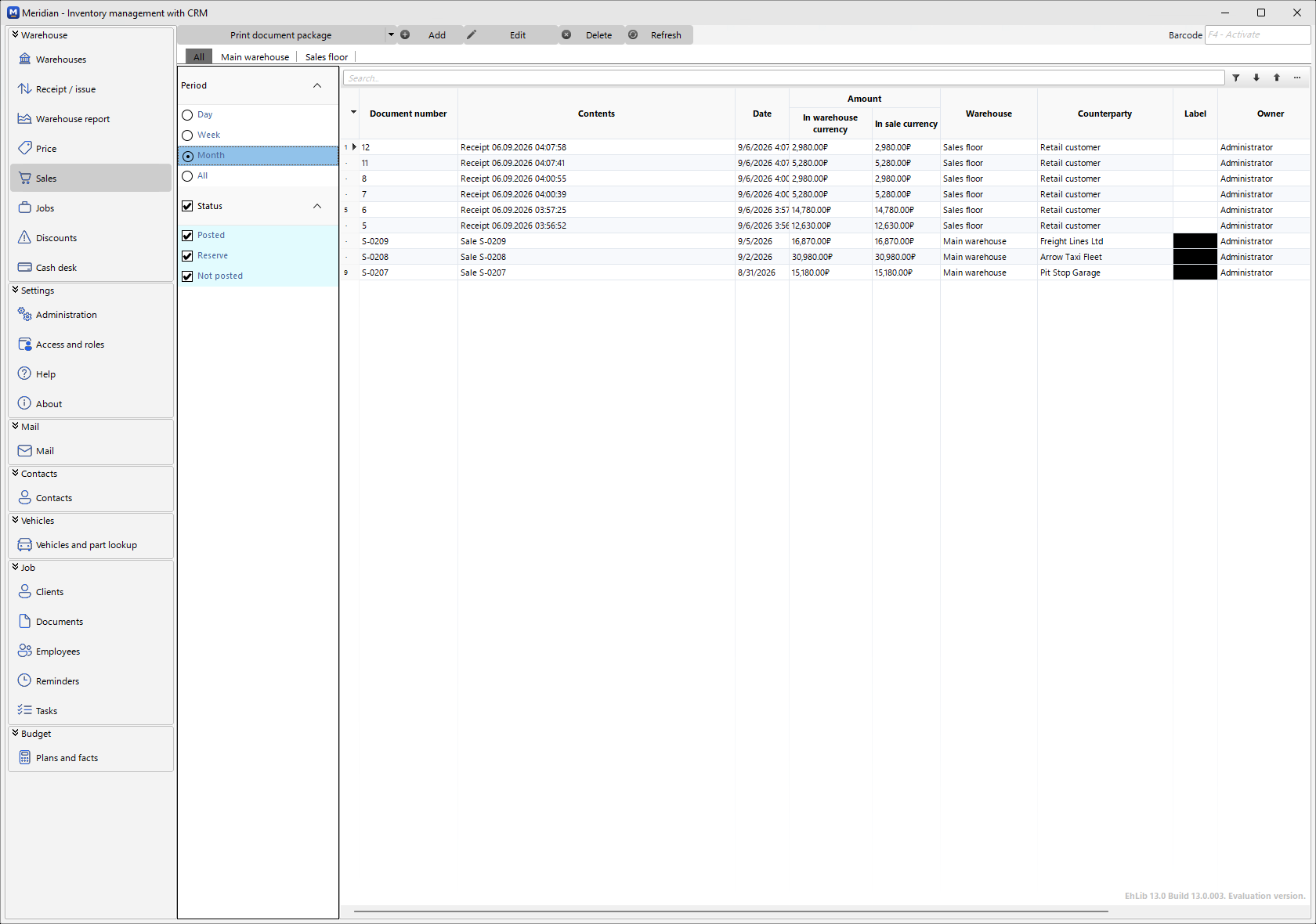
Sale documents with lines, posting that moves stock, invoices with payment state, labour and services sold alongside goods.
Cash desk
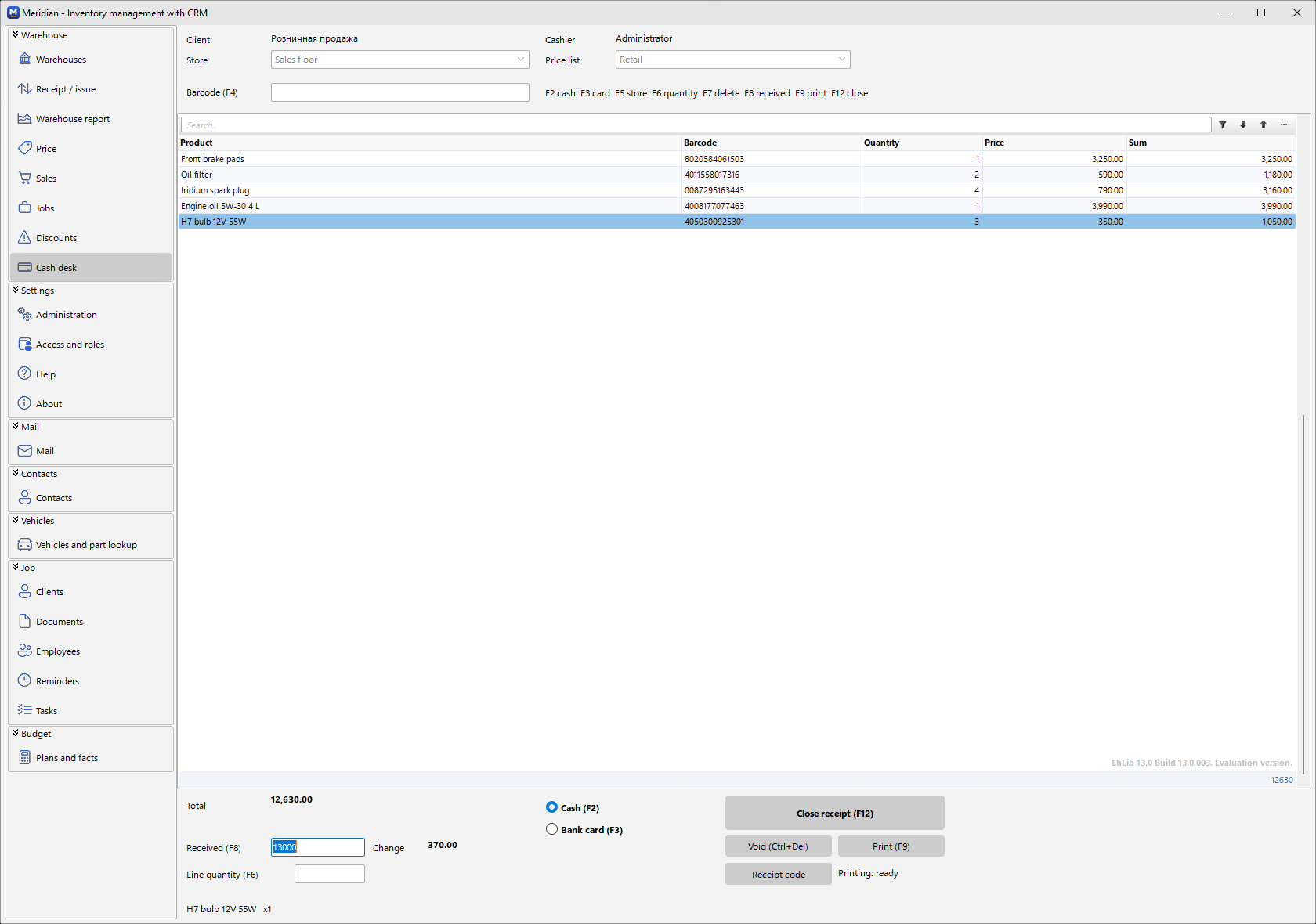
Retail sale from a scanner without a single pop-up window: F-keys for cash, card, quantity and closing; receipt printing scripted in Python.
Discounts and loyalty
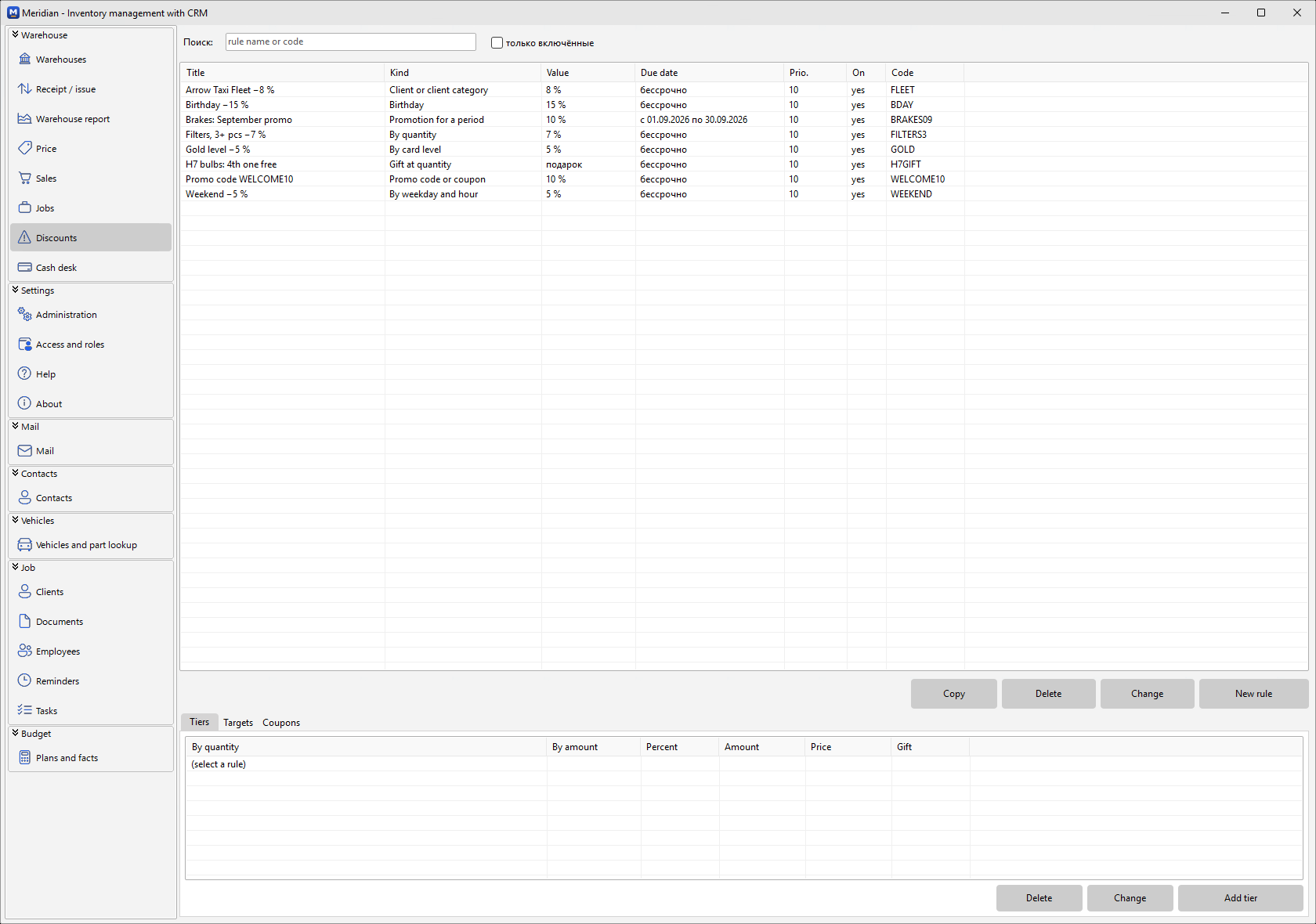
Loyalty cards tied to a phone number, levels by turnover, bonuses, coupons and promo codes, tiered and time-limited promotions, N+1 gifts — one rule table, one engine.
Vehicles and parts
The customer's garage, part lookup by vehicle from stock and from the catalogue, multi-select straight into a sale.
Clients, tasks, reminders
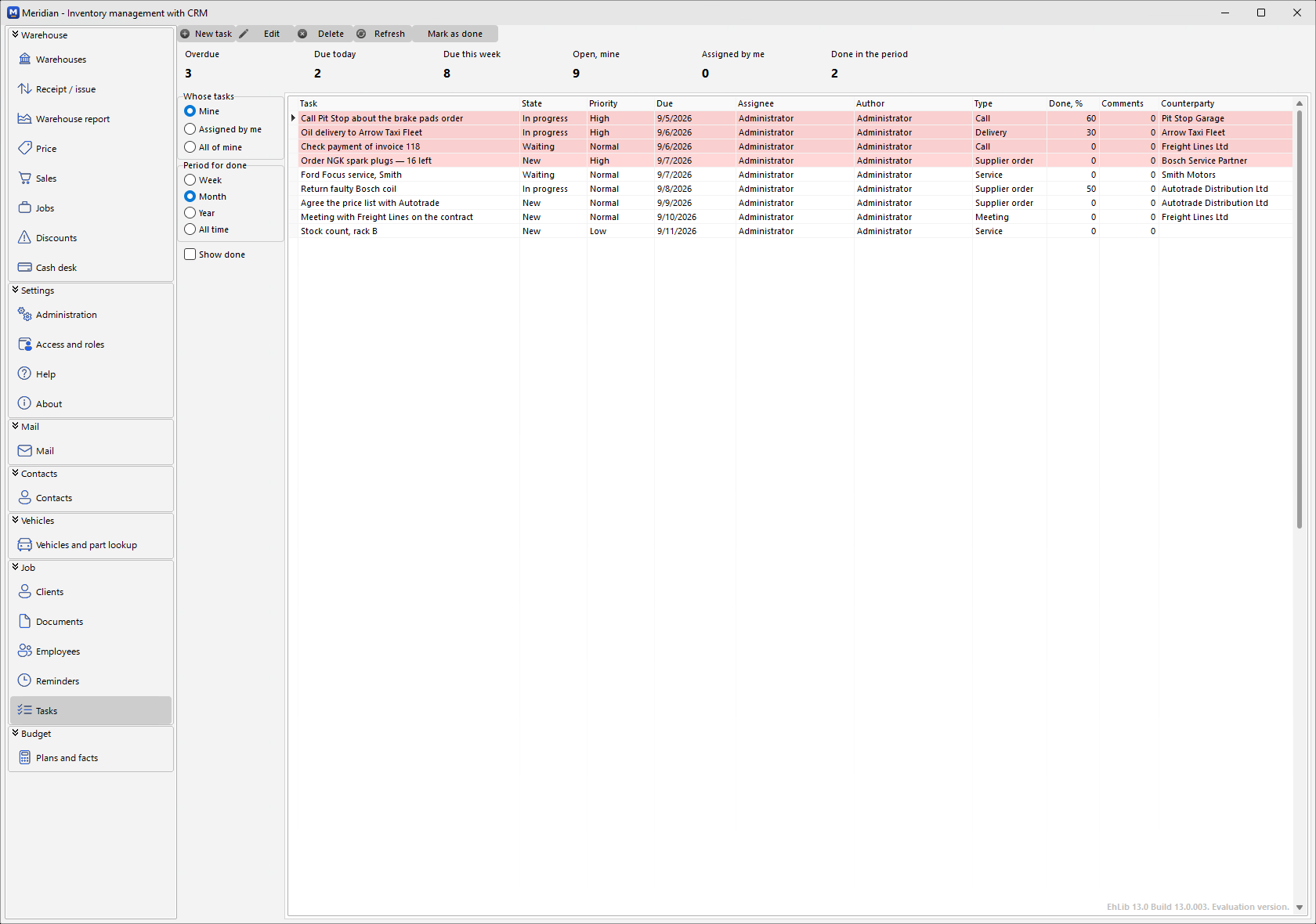
Counterparties and contacts, documents, employees and roles, tasks with a change log and recurring reminders.
Mail and telephony
Built-in mail client over SMTP/IMAP and SIP telephony next to the client card.
Budget
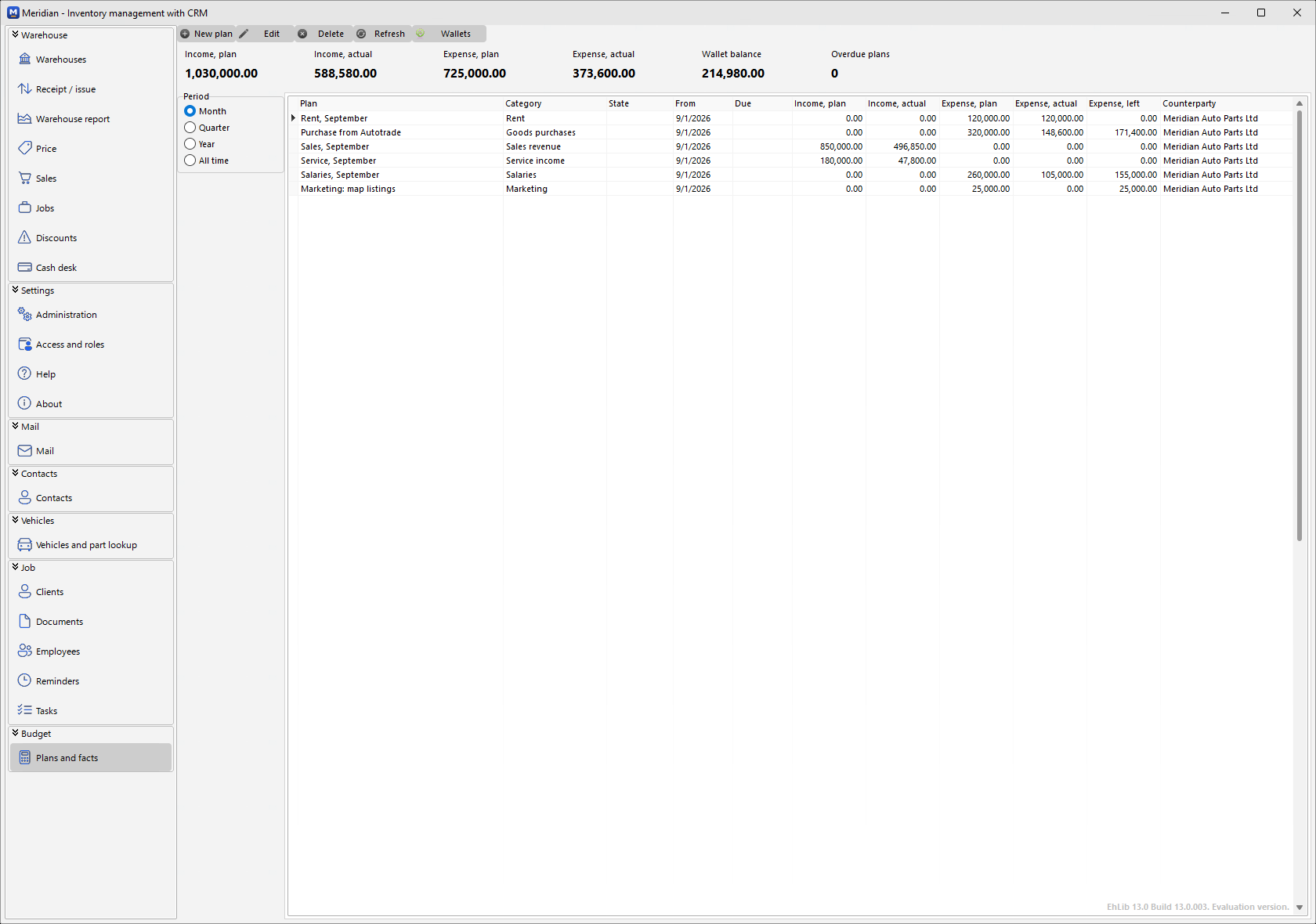
Plans and facts by wallet and category; cash and card payments from the cash desk land here automatically.
Screenshots
The program as it looks on a workstation — demo data of a spare-parts shop.
Why Meridian
Design decisions that make it dependable in daily work.
Accounting rules live in the database
Stock write-off, document totals, task history and role permissions are PostgreSQL triggers and functions. A receipt posted from a phone through the HTTP API lands on the stock exactly like one from the program.
Your data stays yours
The program connects directly to your PostgreSQL 12+ server — on-premises or in your own cloud. No third-party service holds your stock or customers.
A cash desk that never loses the scanner
A barcode scanner is a keyboard; any pop-up steals its focus. Meridian's cash desk keeps product choice, quantity and messages inside one screen.
Mobile warehouse through the API
The CrmApi service exposes the same database over HTTPS for a warehouse app on Android — receipts and inventory from a handheld.
Seats are bought once
Licences never expire. Ten seats are free; paid packs of 25, 50 and 100 seats include a year of updates, renewable separately.
Updates from this site
The program checks for a newer version at start-up, verifies the package by size and SHA-256 and installs it only when you choose.
Meridian for shops and warehouses in the US, UK and worldwide
Meridian is a native Windows program that keeps stock, sales, cash desk and customers on a PostgreSQL server you control — on-premises or in your own cloud account. No subscription and no vendor cloud holding your inventory.
Your inventory data never leaves your server
Meridian talks directly to PostgreSQL 12+ on your hardware or in your own AWS, Azure or Hetzner account. Customer data covered by CCPA/CPRA or UK GDPR stays under your control and out of third-party SaaS.
Bought once, not rented
10 seats are free forever. Packs of 25, 50 and 100 seats are a one-time purchase in USD with a year of updates; when support lapses the program keeps working.
Scanner-first cash desk and loyalty
A barcode scanner drives the cash desk without losing focus, and 20+ kinds of discounts and loyalty cards work out of the box — a fit for independent retail, parts counters and service centres.
Frequently asked questions
Where does Meridian store my data?
On your own PostgreSQL 12 or newer server. Nothing is sent to iMobile; you choose the country and the hosting, so US state privacy laws and UK GDPR obligations stay in your hands.
Does Meridian handle sales tax or replace my accounting software?
No. Meridian manages stock, sales, the cash desk and customers; tax filing and bookkeeping stay in the tools you already use. The database is open PostgreSQL, so your accountant's tools can read it directly, and the same data is available over the HTTP API.
What does it cost in the United States?
10 seats free forever; 25 seats $159, 50 seats $299, 100 seats $529 one-time, each with a year of updates ($32, $60 and $106 per year afterwards). Prices for your region are confirmed at checkout.
What are the system requirements?
Windows 10 or 11 x64 on the workstation, PostgreSQL 12 or newer on the server, an MSI installer of about 144 MB. The interface is in English and Russian.
Pricing
Seats are purchased once and are yours forever — licenses never expire. Support (updates and assistance) is renewed separately; the first year is included with the purchase.
| Plan | Seats | One-time purchase | Support / year | |
|---|---|---|---|---|
| meridian-free-10 | 10 | Free | — | Activate for free |
| meridian-25 | 25 | $159 | $32 | Buy |
| meridian-50 | 50 | $299 | $60 | Buy |
| meridian-100 | 100 | $529 | $106 | Buy |
Licences never expire — without a support renewal you keep working on your current version. Prices are shown for your region at checkout.
Installation
Two files from this page and a PostgreSQL server. The database comes first: the program's installer asks for it and tests the connection right away.
- PostgreSQL — install PostgreSQL 12 or newer (16 recommended) on the server — the standard installer from postgresql.org is enough. Port 5432 must be reachable from the workstations.
- Database — unpack the database kit and run from PowerShell 7 (
pwsh):pwsh -File db\install\deploy-db.ps1 -DbHost <server> -SuperPassword <postgres password> -AdminPassword <login password>. The script creates the role, the databasecrm_main, the schema and the admin user; it runs SQL through thepsqlthat comes with PostgreSQL. - Program — run
Meridian-setup.msion every workstation (administrator rights). On the “Database” page enter the server, port and database name and press “Test connection” — it must answer with the number of employees. - First login — start Meridian from the Start menu and log in as admin with the password from step 2.
The database role is always called imobile — the connection string is built into the program; only the server, port and database name are configurable.
The first 14 days after installation the program runs with full access and no activation. After that it needs an account on this site: the free plan (10 seats — employees with a login, not devices) is switched on in your account, and a paid pack is activated the same way after purchase.
Demo data
An empty database looks like a broken program: the sale screen needs a price list. Demo data adds a retail price list, six real auto parts with prices and stock, cross-references and a customer's car — enough to walk through stock, sale and cash desk.
- Enable — add the
-WithDemoswitch to the deployment command from step 2 — or re-run it with that switch later on the existing database: the script only adds what is missing. - Remove — run
db\demo\001_demo_data_rollback.sqlagainst the database with psql. If demo products have already been sold or moved, delete those documents first.
Do not load demo data into a production database — it is for a test stand or a first look.
Updates
The installed program checks this site for a newer version at start-up and shows it in “About → Update”. The package is downloaded only on request, verified by size and SHA-256, and installed when you choose.
The kit deploys a clean database and does nothing on an existing one — do not run deploy-db.ps1 over a working database. An existing database is brought up to date with upgrade-db.ps1 from the same kit: it reads the migration log, applies only what is missing and keeps your data (in 1.1.3.0 this adds English currency names). Take a backup first. A database deployed by the 1.1.0.0 kit is upgraded by the same script, but tables get renamed there — do that one together with us.
Meridian
A mature Windows desktop system for warehouse, sales and cash-desk accounting with CRM elements — stock, documents, discounts, customers, tasks, mail and telephony in one window, on your own PostgreSQL.