RDP-FIDO-GATE Phishing-resistant FIDO2 two-factor for Windows Remote Desktop
Zero-trust RDP, gated by a hardware key.
A lightweight gateway that puts hardware FIDO2 two-factor authentication in front of Windows Remote Desktop. Users tap a security key before a session opens — there is no password left to steal.
Security by design
Three guarantees that make a stolen password worthless.
A hardware key, not a password
Opening a session requires a physical FIDO2 / WebAuthn key touch. A stolen or phished password is useless on its own, and no password is ever sent over the wire — the key proves possession, cryptographically.
Enforced by Windows itself
The gate is built entirely on native Windows security mechanisms — the Windows Firewall to open and close the port, the Windows WebAuthn API to check the key, and DPAPI to encrypt stored secrets. There is nothing to trust beyond the operating system.
Default-deny, time-boxed access
RDP port 3389 stays firewall-blocked and invisible to the internet. Only after a registered key proves possession does the gate open a narrow, single-IP hole for about 90 seconds — then it re-blocks the port and re-asserts the block every 30 seconds.
How it works
One key touch opens a single-IP firewall hole for about 90 seconds — then the port closes again.
Screenshots
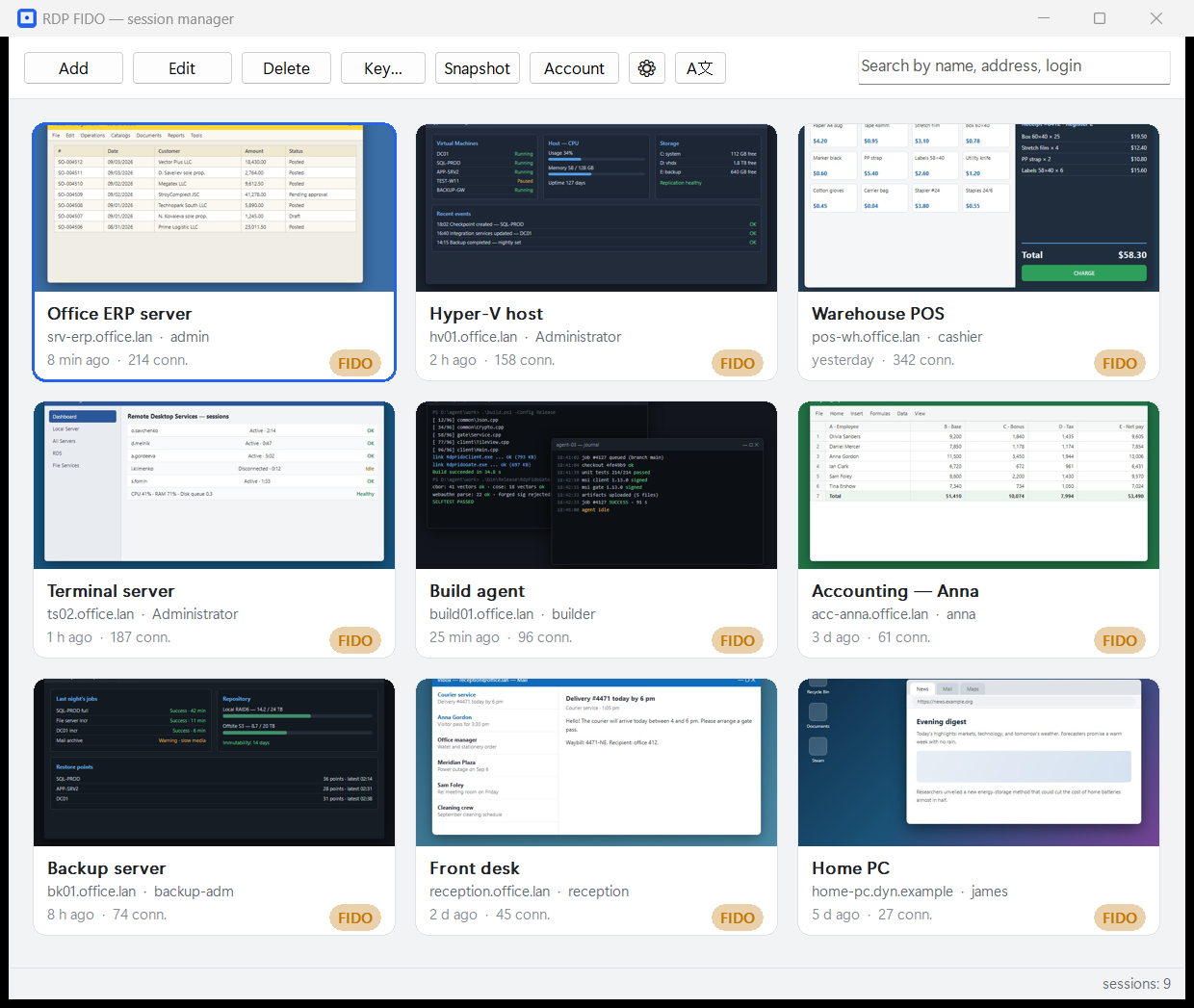
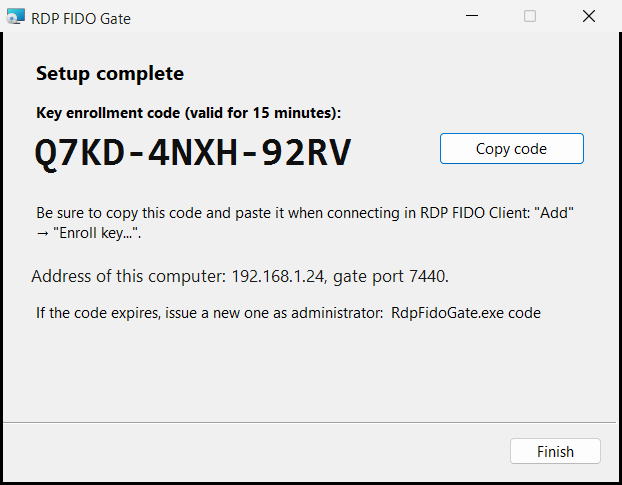
The session manager and the gate installer — this is the whole product.
Free vs Pro
Start free. Upgrade once for unlimited sessions and no ads.
| Feature | Free | Pro |
|---|---|---|
| Saved sessions | 10 | Unlimited |
| FIDO2 hardware-key gate | ✓ | ✓ |
| Windows Firewall enforcement | ✓ | ✓ |
| Ad tile | ✓ | ✗ |
| Activation | 14 days for free activation | — |
| Price | Free | $49 one-time |
| Buy Pro — $49 |
After activation you keep using it for free, within the Free plan's limits (up to 10 sessions).
Setup & requirements
No hosting — install the gate on the target PC and the client on yours. Ports: gate 7440/TCP, RDP 3389/TCP.
- Host — run RdpFidoGate-Setup.msi as admin. The last page of the installer shows the host address, port 7440 and the one-time key enrollment code.
- Port forwarding (for internet access) — if the host is behind a router/NAT, forward 7440/TCP and 3389/TCP to the host's LAN IP. Reserve a static LAN IP; use DDNS if your public IP is dynamic.
- Client — install RdpFidoClient, activate by e-mail, add a session (host public IP/DDNS, gate port 7440, the one-time code) and register your FIDO2 key.
- Connect — pick the session and touch the key — the gate opens 3389 for your IP for ~90s and mstsc connects.
⚠️ Without forwarding ports 7440 and 3389 on the router, internet access will not work. RDP is closed from outside until you confirm with the key.
RDP-FIDO-GATE for remote access in the US and worldwide
Exposed RDP is the most common way ransomware enters small businesses and MSP-managed networks. RDP-FIDO-GATE keeps port 3389 closed and opens it only after a hardware key touch — for one IP, for about 90 seconds.
Meets the MFA requirements of cyber insurers
Insurers, NIST SP 800-63 and CISA guidance ask for phishing-resistant MFA on remote access. A FIDO2 hardware key in front of RDP is exactly that — no SMS codes and no authenticator apps to phish.
Nothing to change on your servers
The gate installs from an MSI on the Windows host and uses the Windows Firewall, the Windows WebAuthn API and DPAPI. Your existing RDP hosts, domain and policies stay as they are.
One-time price in USD
The Free edition covers 10 saved sessions; Pro is $49 one-time with unlimited sessions and no ads — no per-user subscription for a small office or an MSP's tool kit.
Frequently asked questions
Which security keys work?
Any FIDO2 / WebAuthn hardware key that Windows recognises — YubiKey, Feitian, SoloKeys and similar. The key is registered once per session in the client; the gate checks it through the Windows WebAuthn API.
Does it work with Windows Server and cloud VMs?
The gate runs on any Windows host with Remote Desktop enabled — Windows 10/11 or Windows Server, on-premises or in a cloud VM. If the host sits behind a router, forward 7440/TCP and 3389/TCP to it.
Is RDP-FIDO-GATE enough for compliance?
It is a technical control: phishing-resistant MFA plus a default-deny firewall in front of remote access, which is what HIPAA, PCI DSS and cyber-insurance questionnaires ask about. It is not legal advice — validate your specific obligations.
How much does it cost?
Free: FIDO2 gate, firewall enforcement, up to 10 saved sessions, an ad tile, activation within 14 days. Pro: $49 one-time, unlimited sessions, no ads. Regional prices are shown at checkout.
Lock down Remote Desktop today
Download the gate and client for free, or unlock everything with Pro.
$49 one-time · unlimited sessions · no ads